In order to complete the process of Publishing, Unpublishing, Filing, or Amending, the appropriate pending approval must be Approved or Rejected.
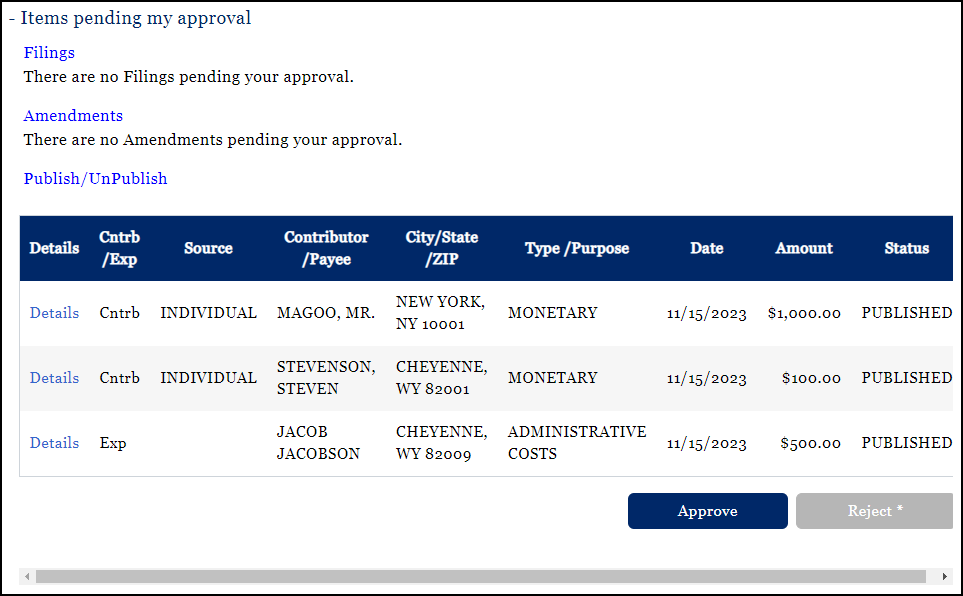
If there is any part of the filing with which the user disagrees, they should reject. If they Reject because of an inaccurate entry, the previous transaction status will be applied for all transactions related to the filing. For example, if Saved Private transactions were selected by the chairman for publishing and the treasurer chooses to reject the publishing, those transactions will be returned to a status of Saved Private.
When Rejected, all transactions are retained within the system; you do not lose any data, it just reverts to the previous transaction status. Once rejected and back to the previous status, the chairman or treasurer can modify the inaccurate entry by locating it under View Contributions or View Expenditures.
IMPORTANT:: If amendments to a Filed report are Rejected by the second user, the transactions are saved within the application with a status of Saved Private – Amend and can be found on the Saved Private tab under View Contributions or View Expenditures.