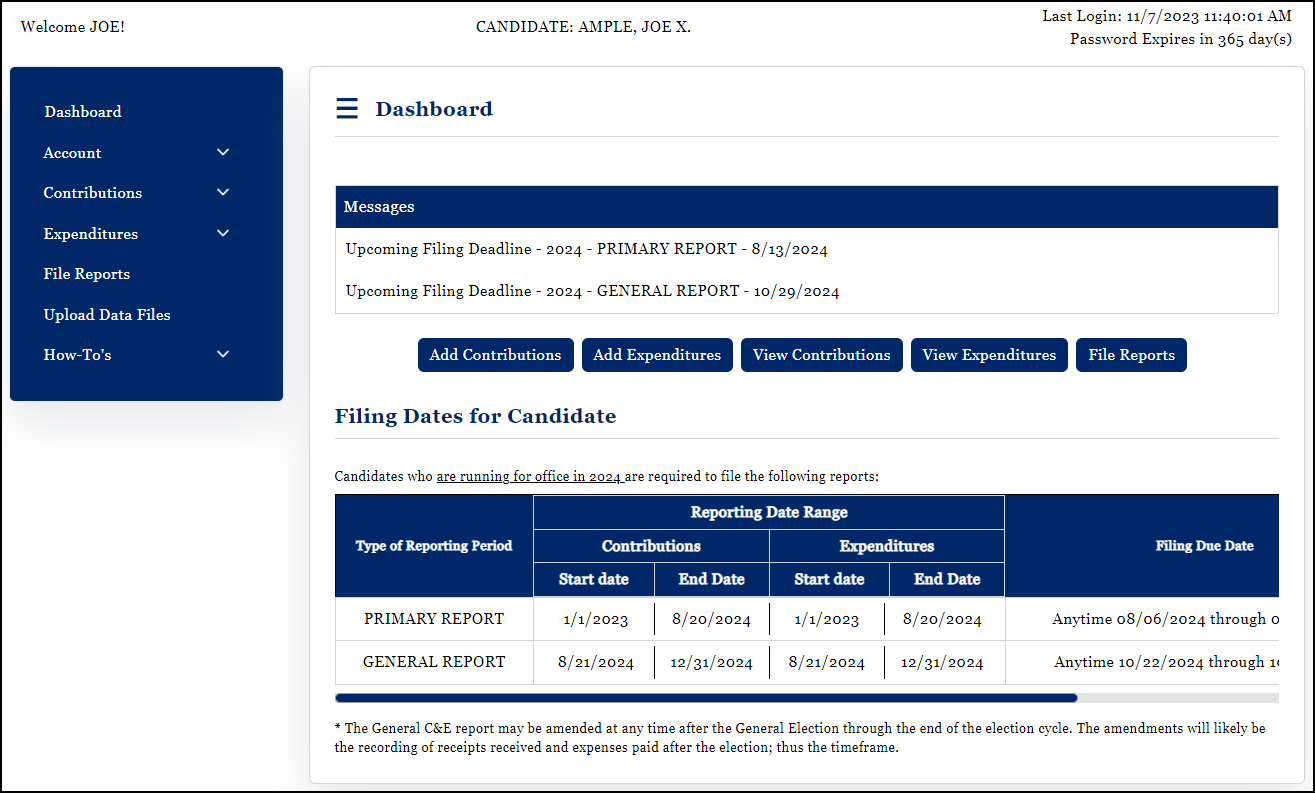
The Wyoming Campaign Finance Information System WYCFIS Dashboard allows you to access the screens needed to do all of the tasks which may be required of a WYCFIS account holder. From this screen you can:
•View system Alerts and Messages;
•View the Filing Dates specific to the account;
•View and update Account Details;
•View the Account History;
•Enter and Manage Contributions;
•Enter and Manage Expenditures;
•Review the Transaction Summary of the account;
•Upload contributions and/or expenditure data files;
•File the various statutory reports;
•View the Filing History of reports filed;
•Close an Account (for candidates and Organizations) or Terminate Committee (Candidate Committees and Political Action Committees);
•View and manage Pending Approvals (Candidate Committees, PACs, and Organizations);
•Go to Committee Account (candidates with a principal candidate committee);
•Logout;
•Reset password;
•Access the WYCFIS Quick Start and User Guides;
•View WYCFIS Training Videos;
•Access the Account Holder Help Files; and
•Contact Us