A search for All contributions is automatically conducted when a user selects View Contributions, or Search Contributions from the Quick Links or the Left-Hand Menu. The search results are displayed directly beneath the criteria. Search results are organized by status in five tabs: All, Saved Private, Published, Filed, and Amended. Users can navigate between tabs simply by clicking on the desired tab. Search results will dynamically change based on the tab selection.
Status Definitions and Information
All Tab
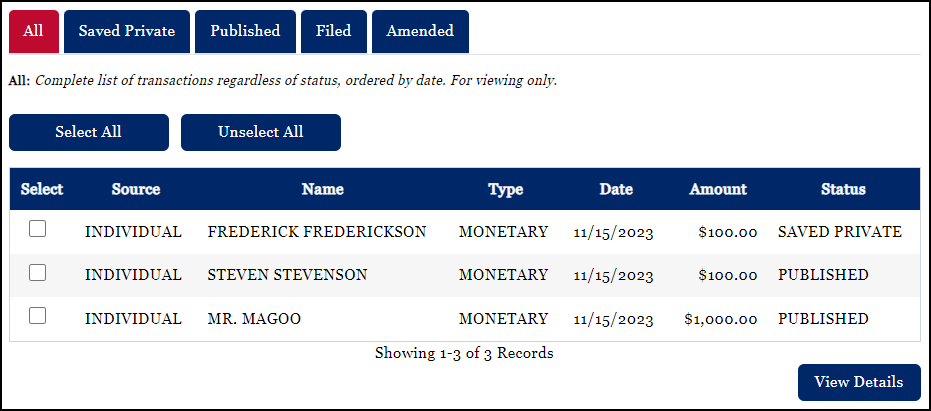
A complete list of transactions regardless of status, ordered by date, is provided on the All tab. Results on the All tab are for viewing only.
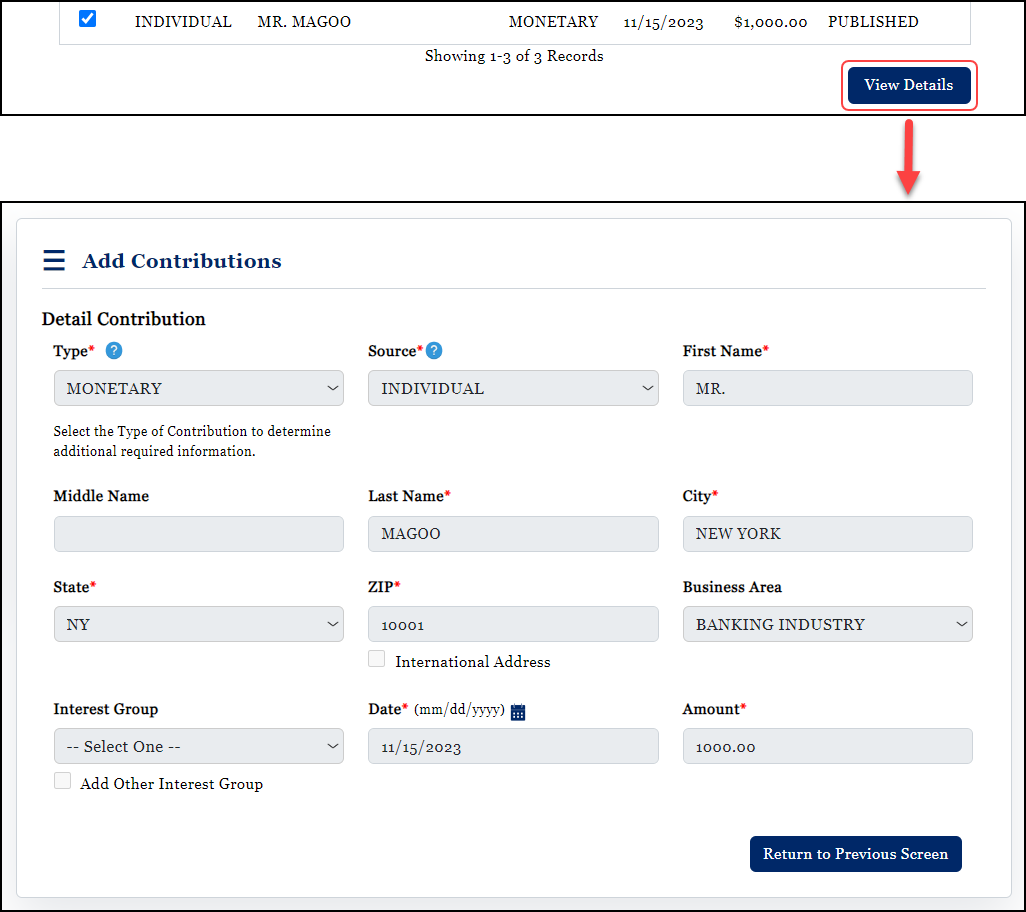
Following a successful search, the default tab displayed is the All tab. From any status tab, users can open a read-only view of the details of a specific transaction by placing a check in the Select check box of the record. Next, click View Details.
Saved Private
Saved Private transactions are not available to the public. These transactions are available only to the account holder and/or other committee officers. By default, all transactions entered into WYCFIS are Saved Private. This means that the transaction is a part of the database, but it is not available to the public or to the Secretary of State’s Office to view.
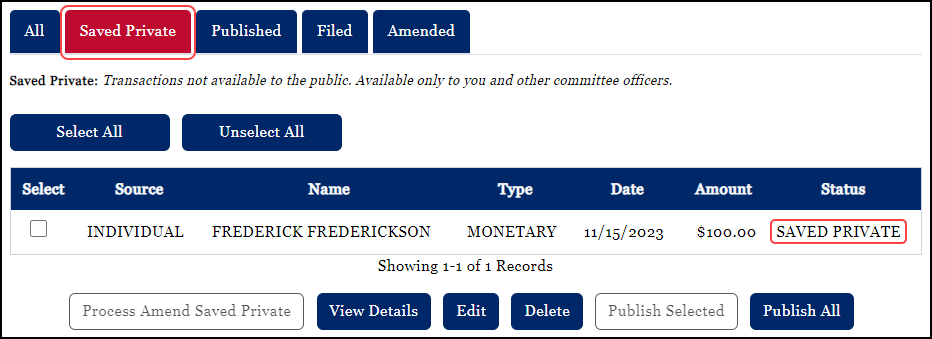
From the Saved Private tab, transactions may be viewed, edited, deleted, or published. Transactions that are Saved Private may be edited at any time by selecting the record by placing a check mark in the Select check box and then selecting the Edit button. For information about editing or deleting a contribution please reference the Modify or Delete a Contribution section of these help files.
Published
Published transactions are those transactions that have been made available to the public prior to official filing. Account holders may choose to Publish all transactions or only specific transactions.
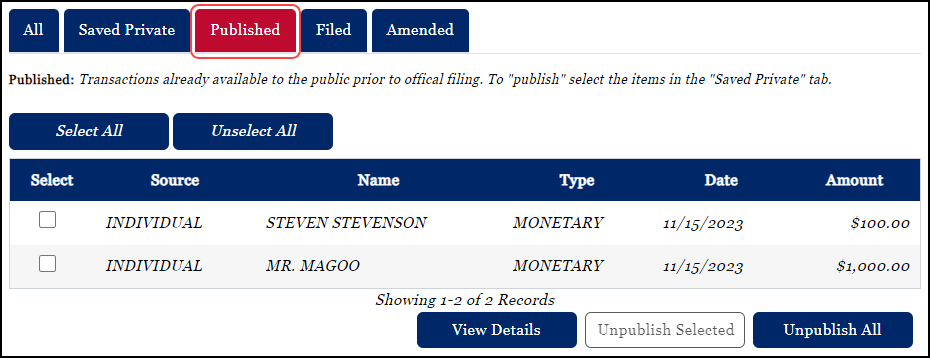
For information about publishing a contribution please reference the Publish or Unpublish a Contribution section of these help files.
Filed
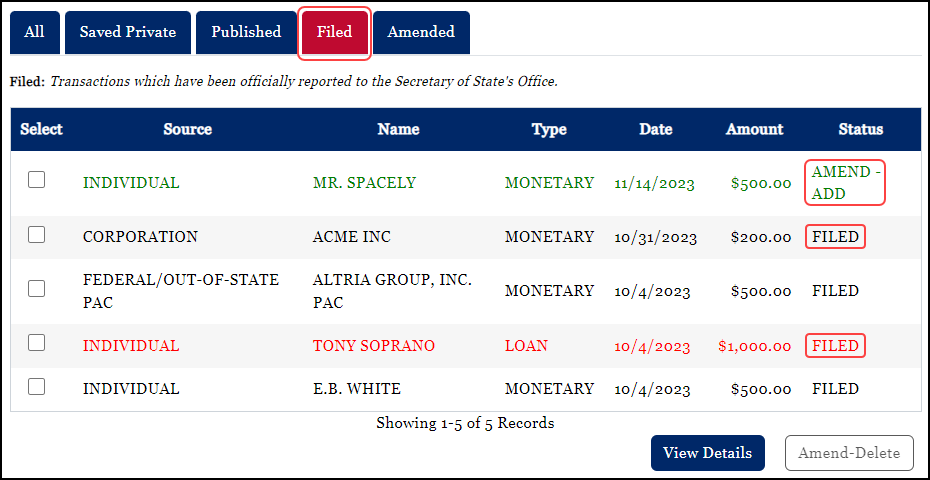
Transactions which have been officially reported to the Secretary of State’s Office are Filed transactions. In order to meet statutory requirements, transactions must be filed within specified time frames. Transactions falling within the filing start and end dates which are Saved Private or Published will be moved to a status of Filed only when the user files a report via the File Report process. Items which have been Filed cannot be edited. Instead, they must be Amended. Wyoming statutes require that both the chairman and treasurer approve the filing of a report for committees and organizations.
Amended
Amended transactions are those transactions which amend an already Filed report. Once transactions have been statutorily Filed, they may only be amended – either added or deleted.
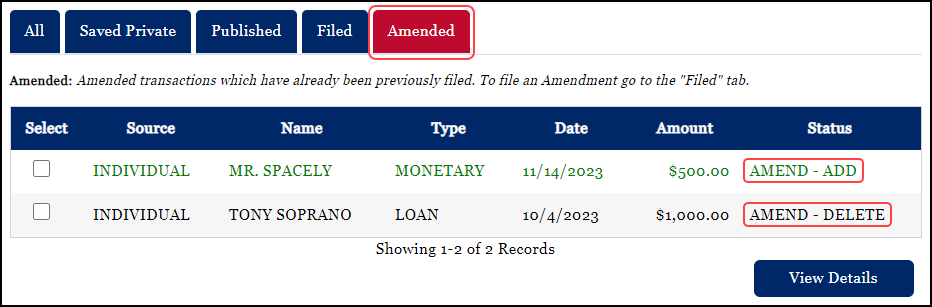
If a report is Filed, users can’t just edit transactions associated to the report. Filed transactions must be Amended in order to remedy any errors or omissions. For information about amending previously filed contributions or reports, please reference the Amending Contributions - Adding or Deleting section of these help files.