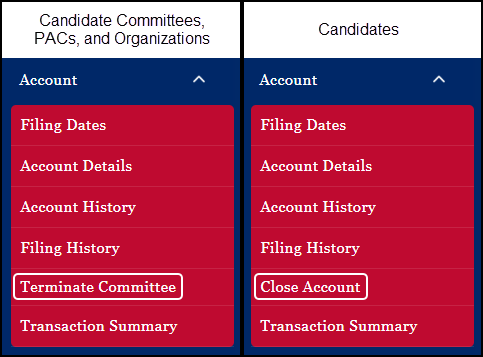
When a candidate, candidate committee, PAC, or organization ceases to exist or no longer needs an account for reporting purposes, this link provides the mechanism by which to close or terminate the account.
All candidates, candidate committees, political actions committees, and organizations must continue to make the required contribution and expenditure reports until the committee terminates or the account is closed.
IMPORTANT:
•Before an account can be closed or terminated, the account holder(s) should make sure they have no contributions or expenditures which need to be reported.
•Candidates who have designated that their committee was filing campaign finance information on their behalf cannot close their account if the committee has any past due reports.
•For committees and organizations, the termination process requires a digital signature of both the Chairman and the Treasurer of the committee or the individuals designated to act in the capacity of Chairman or Treasurer for an organization. If you are initiating the process, an e-mail will be sent to your other committee officer for their digital signature.
•From the day of closing or termination, the committee will not have the ability to file any future reports. However, the systems provides access to account / committee information for 365 days from the day of termination in order to amend any filings.
•The termination action cannot be reversed. If the committee needs to be "restarted" after termination, a new account must be created.
Account Termination/Closing Process
When the Close Account / Terminate Committee link is selected, the user is presented with information about the termination/closure process. The informational section is account specific, so be sure to read the information.
Below is a sample of the closure screen presented to a candidate:
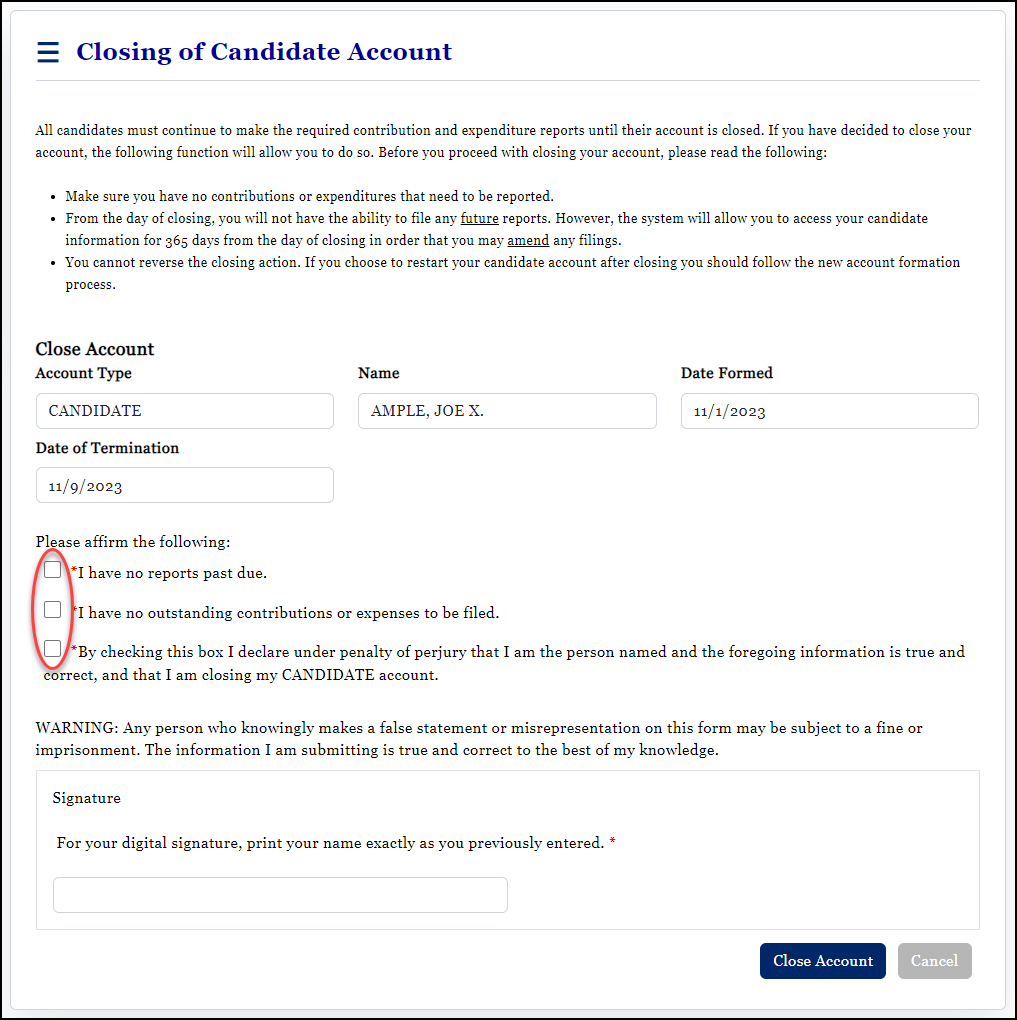
After reading the screen, the user needs to affirm, by checking the affirmation check boxes, that there are no reports past due; that there are no outstanding contributions or expenses to be filed; and that they are who they say they are and, in the event of a committee, that the committee has no debt and is able to legally terminate. The user must then affix their digital signature and click Close Account or Terminate Committee.
A confirmation message opens if the account is closed successfully. Now the user simply needs to navigate away from this page by either selecting a different menu item of selecting Cancel.
