The Account Details link opens a page containing demographic information about the specific account.

From the Wyoming Campaign Finance Information System Account Details screen the user can view and edit the information related to that specific account. The Account Details screen will vary in content from one account type to another.
Regardless of the account type, current details may be printed by selecting the Print Account Details button appearing at the top of the Account Details screen.

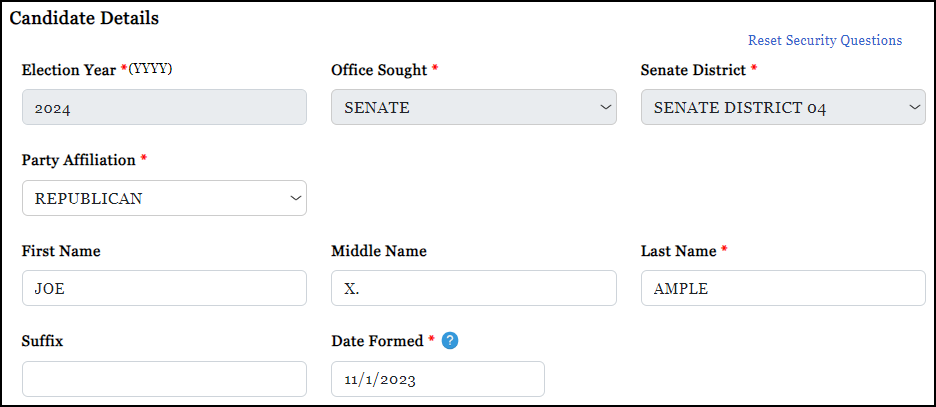
The first section on the Account Details provides basic details about the account and information about the candidate, assuming the account type is for a candidate or candidate committee. The account type determines whether the candidate information is editable or not.
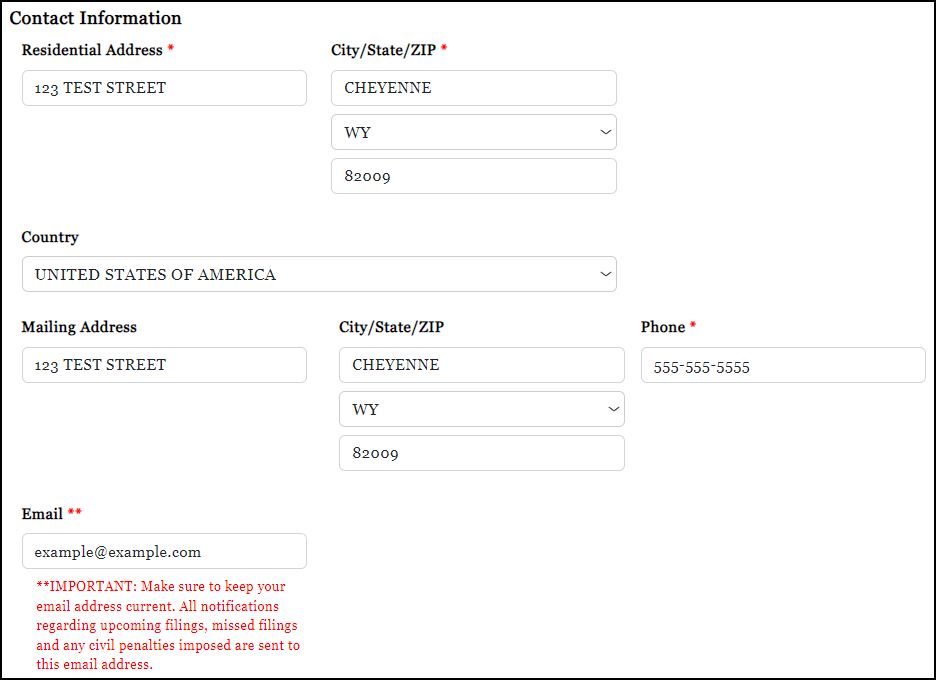
The next section is where account contact information is provided. This information is editable and must be kept up to date.
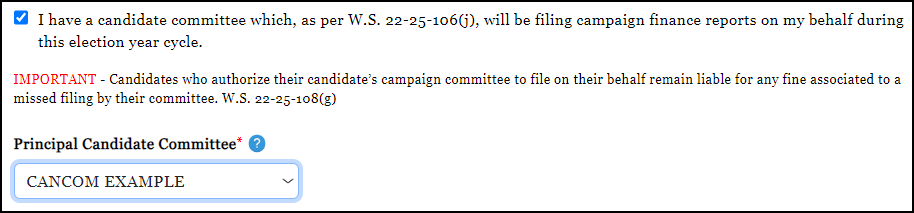
Candidates are provided an option to select their Principal Committee from the candidate details portion of the Account Details. IMPORTANT: Candidates with a principal committee should be sure to choose that committee to ensure that contributions and expenditures appearing on the public website in Charts & Graphs accurately reflect the relationship between the two account types.
In addition, candidates have an option to indicate that their candidate committee will be filing campaign finance reports on their behalf during the election year cycle.
NOTE: A candidate may or may not have a principal candidate committee; and, that committee may or may not be filing campaign finance reports on their behalf.
In addition, the Candidate Details section provides candidate account holders with the option to view other candidates running for the same office.

For Candidate Committees, Political Actions Committees (PACs), and Organizations, the Account Details page provide the user with the ability to either edit existing officer information, or Replace Chairman or Replace Treasurer.
IMPORTANT: The Replace option should be used when a new individual is elected/selected to serve as an officer for the committee. Information should only be edited when the office remains the same, but demographics need updating.
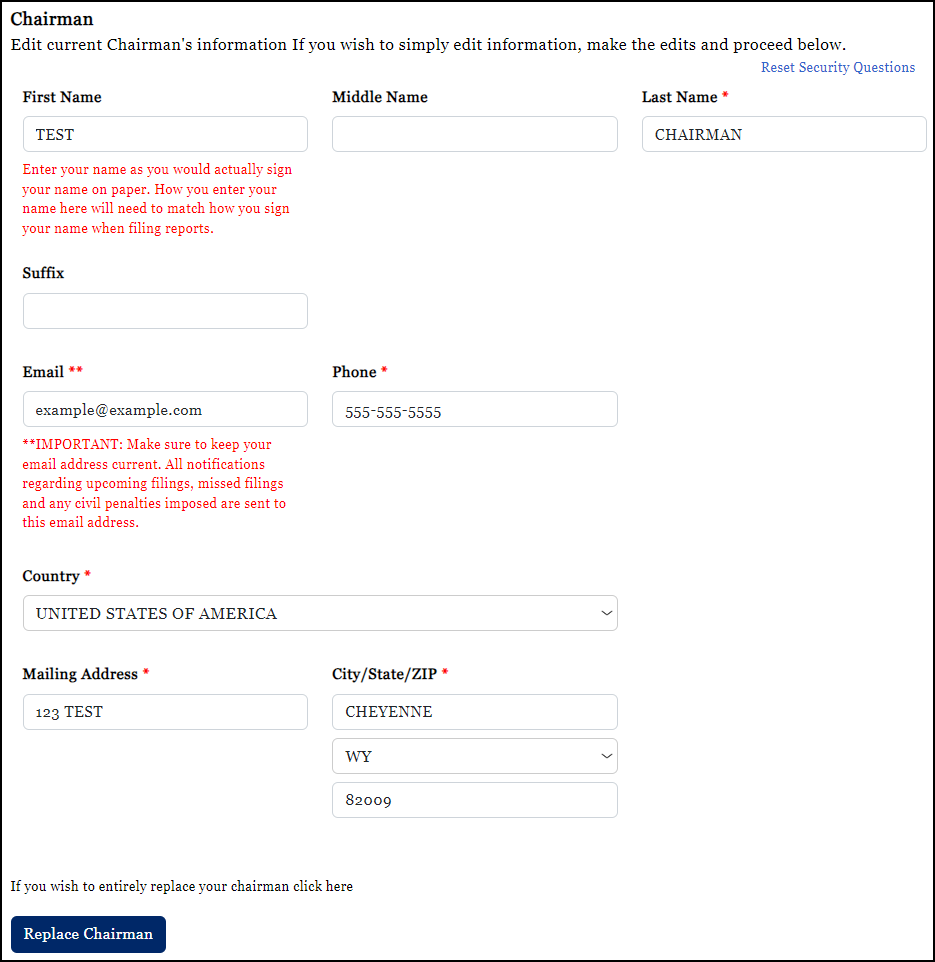
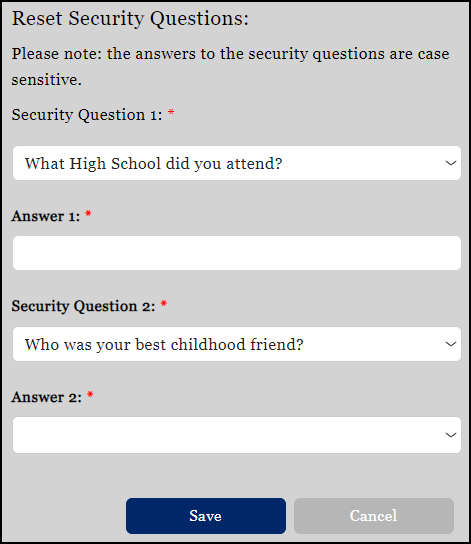
In addition, a user may reset their security questions and answers by selecting the Reset Security Questions option. Officers of a committee or organization may only change the security questions and answers associated to their account.
IMPORTANT: Answers to security questions are case sensitive.
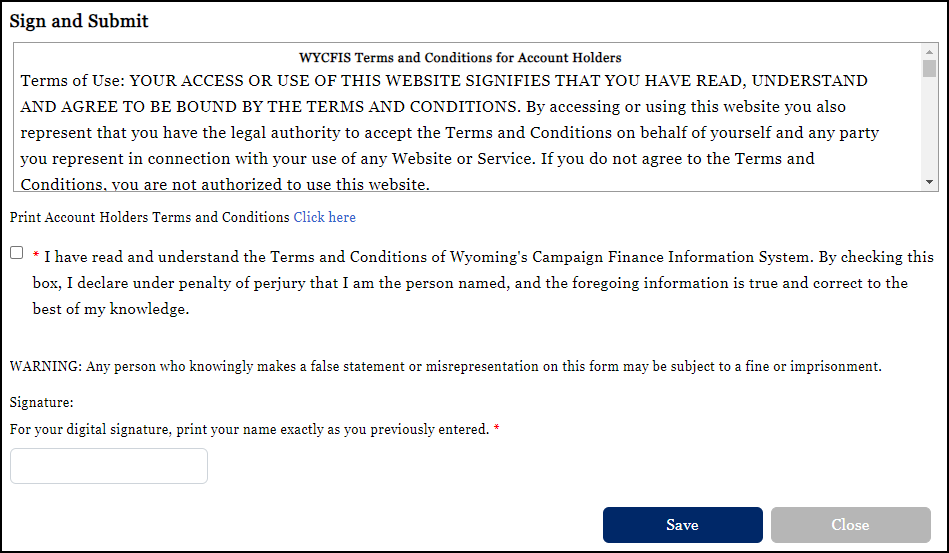
All changes to the Account Details require the acknowledgement and typed signature of the account holder making the change(s). The Account Holders' Terms and Conditions may be read onscreen or generated to a PDF for printing and/or viewing. Changes to the Account Details are recorded in the Account History as an amendment to the original filing.